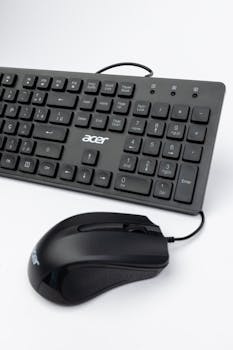
You pick up a new game and within minutes, your hands fumble or fly—sometimes, it’s the control scheme making all the difference but you hardly notice at first.
Learning speed in games doesn’t just depend on raw talent; it’s closely tied to how you interact. Different control schemes shape the path to mastery in surprising ways.
This article explores the tangible, step-by-step impact of control schemes on learning speed, revealing specific strategies, helpful examples, and actionable techniques for any curious player or designer.
Mapping Inputs for Instant Feedback and Smoother Learning
With clear mapping, players uncover responses from controls and see results on screen immediately. This instant feedback shortens learning time. Precise mapping in control schemes lets players build muscle memory.
Smooth schemes avoid confusion. Instead of hunting for buttons, you know instinctively where to press. Choose control schemes that mirror real-life motion to make actions effortless and faster to adopt.
Designing Logical Button Layouts for Natural Movement
Designers align controls to match hand positions, such as thumb-controlled jumps placed right beside forward movement. Players should copy this practice to benefit from faster reactions during critical game moments.
One effective script: rest your thumb on the button used most like ‘A’ or ‘X’ to jump. Assign less frequent actions farther away to avoid accidental presses and mental overload.
If you notice yourself pausing to remember a key, rearrange your controls to fit your hand’s resting position. Test by describing each move before doing it. Adjust until transitions feel smooth.
Sequencing Actions for Rapid Execution
Combos and sequences become easier when they’re mapped next to each other. For example, ‘attack’ and ‘dodge’ side by side enable fluid escapes—no finger gymnastics required.
Try practicing two-move combos as one fluid motion: press ‘attack’, immediately follow with ‘dodge’. Say the moves out loud while pressing buttons until they blend into one action.
Consistent sequencing in control schemes shortens hesitations and builds confident, automatic flows. Tweaking input order can speed up skill learning, especially in fast-paced games.
| Control Scheme | Layout Type | Learning Time Estimate | Best Use Scenario |
|---|---|---|---|
| Classic WASD + Mouse | Keyboard & Mouse | Short | First-person shooters and quick aiming |
| Dual Analog Sticks | Gamepad | Moderate | Third-person action and platforming |
| Touch Screen Swipes | Mobile | Variable | Puzzle and casual play; requires visual focus |
| Gyroscopic Tilt | Motion | Long | Racing and flying games; needs practice |
| Custom Remapping | User Defined | Shortest | Accessible, ergonomic, best for advanced users |
Simplifying Input Reduces Cognitive Load and Speeds Up Play
Using fewer buttons lets players react faster because there’s less to remember. Good control schemes group related actions together and keep things intuitive.
Players using basic control schemes learn faster. They spend less time thinking and more time doing. Mapping complex moves onto short combos or hold-presses can help.
Employing Minimal Inputs for Fast Mastery
Single-button jumps save time over complex triggers. When playing, opt for games with single-tap actions or remap combos to a shared button whenever possible for quick muscle memory gains.
- Choose games offering one-tap or two-tap controls for easier adoption and faster improvement, especially when learning new mechanics without overwhelming your focus.
- Set up combos on a macro or bumper whenever the game allows it, decreasing decision time—this streamlines learning sequential movements for faster progress in action titles.
- Group related actions (reload, use, melee) onto similar buttons. This minimizes confusion and lets you act quickly without searching the pad or keyboard during tense moments.
- Take advantage of ‘auto-run’ or ‘auto-aim’ options found in some control schemes. These features reduce inputs needed and boost focus on timing or strategy, not finger placement.
- If your game supports contextual shortcuts, activate them. For example, hold ‘E’ to interact, tap to reload—this helps you react faster with the same button, solidifying skills smoothly.
Through these adjustments, every control scheme can be tailored for practice sessions. Fast mastery becomes achievable by keeping the interface simple and matching real-life actions with inputs.
Breaking Down Control Mapping for Better Retention
When learning a new scheme, map actions in small groups: movement, combat, interaction. Break tasks into these categories, practicing each until automatic before combining them for full runs.
- Assign movement to dominant fingers and actions to index or thumb for better comfort. This rule aids rapid learning and prevents confusion about which hand does what in stressful play.
- Label or memorize step-by-step sequences for special moves, like “reload, duck, then aim.” Say these out loud while pressing matching buttons for active retention.
- Limit mapping to three actions per hand initially. This keeps learning manageable for newer schemes, letting you gradually increase complexity as fluency rises.
- During practice, close your eyes and press keys for each action, relying on feel. This builds spatial memory and translates into quicker real-world response under pressure.
- If you fumble consistently, switch hands or fingers for a task, rotating until a combination feels natural. Tinker until every action is fluid—never force awkward movements.
By organizing input mapping, players keep learning streamlined, focusing attention where it matters and reducing mistakes as confidence grows.
Adapting Between Schemes: Retaining Speed Across Devices
Switching from a controller to a keyboard or motion input requires tactics to avoid slowdowns. Retaining speed means retraining habits with intention, not guesswork.
Players who alternate control schemes should use deliberate repetition. Set aside sessions to drill specific moves on the new device before jumping into high-pressure play.
Applying Cross-Device Muscle Memory Techniques for Consistency
To build cross-device fluency, keep critical actions in consistent locations. For example, assign ‘jump’ to the same thumb or finger, regardless of input device, whenever possible.
Create practice runs: ten minutes using only basics, then add a new move each session. End by verbalizing each input—this bridges sensory memory across devices.
Mirroring control placement, even on touchscreens or motion-based controllers, reduces errors and speeds up learning. Always check for settings to customize control schemes for this advantage.
Stress Testing With Real Scenarios for True Comfort
After mapping, test your control schemes under pressure. Load a fast-paced section or time trial. Push for speed, tracking mistakes every five minutes to spot sticking points.
Challenging yourself simulates “on-the-fly” learning, similar to switching cars or smartphones. Each device has its quirks—note what feels strange, then adjust layout or tempo for smoother transitions.
Regularly switch devices during gameplay, not just in setup modes. Juggle between controller and mouse mid-session. This cross-training solidifies adaptable skills and reduces freeze-ups when stakes are highest.
Customizing Layouts: Empowering All Players to Learn Faster
Tailoring layouts gives every player ergonomic comfort and control. Reach for re-mapping options as a first step when struggling with awkward or slow actions in game.
Choose settings that put most-used actions within easy reach and fit your personal grip or preferred finger choices. This enables sustained speed and longer, more focused sessions.
Utilizing Accessibility Features for Supported Mastery
Try features like toggle buttons for complicated actions, hold-to-run schemes, or on-screen cues. These modern control schemes exist to help all players, not only those who need accommodations.
Assign secondary buttons in menus for backup actions—allowing for slip-ups without risk. Knowing there’s a safety net encourages risk-taking and commitment to new moves during rapid learning phases.
Expand input reach with foot pedals or adaptive switches when possible. Explore these not as last resorts, but as parallel paths to maximize comfort and growth, regardless of background or ability.
Designing Personalized Practice Loops in Play Sessions
Set mini-goals for each session: five perfect reloads, ten smooth item pickups, three combos executed without pausing. Repeat until they’re second nature—this targeted repetition speeds up learning control schemes measurably.
Record short clips or use in-game stats for feedback on improvement. If some actions still lag, adjust placement and start a new drill cycle until progress feels automatic and enjoyable.
Include friends or trainers for spot checks. Observe hand positions or timing, ask for direct feedback using concrete language (“Was my reload too slow?”). Keep refining until motions feel effortless every time.
Tailoring Schemes for Genre-Specific Mastery
Differing games mean differing optimal schemes. What suits a racing title will frustrate in strategy. Find the match that accelerates your learning and reduces roadblocks.
For platformers, prioritize jump and movement on dominant digits. In shooters, keep aim and fire adjacent, minimizing travel. These choices shave seconds and foster faster learning naturally.
Recreating Real-World Movements for Intuitive Play
Think of leaning into a skateboard turn; tilting a controller mimics this, making reactions more tangible in racing or flying titles. Analogies help anchor movement in memory.
In puzzle games, map rotate or move actions onto familiar phone swipes or mouse drags. Physical analogues speed up pattern recognition and input entry, shrinking the learning gap.
Strategy titles benefit from left-hand macros or hotkeys grouped by type. Batch build, attack, or defend commands logically. Say the category before pressing a key until it’s automatic.
Refining Input Speed in Action and Racing Games
Measure lap or mission completion times before and after remapping. Use a stopwatch or in-game tracker. Check if changes to control schemes cut unnecessary millisecond delays.
Solicit split-second reaction feedback by watching your own recordings. If you see hesitation or awkward hand movement, revise button order and repeat sprints for measurable speed improvement.
Ask for outside critique: “Does my drift look too wide compared to your control layout?” Small competitive tweaks in control schemes close the gap for faster skill gains.
Applying Practice Routines and Feedback for Lasting Improvement
Making learning permanent means repeated application. Design three-step routines and act on feedback in every session—this brings real, visible skill acceleration with chosen control schemes.
Start each cycle with basic warm-up runs: move, jump, or aim five times. Ramp up complexity, but always return to basics for calibration between rounds, especially with unfamiliar schemes.
Building Speed With Stepwise Pattern Drills
Repeat core movements in escalating tempo. Start slow, then push for speedier repetitions. Record lapses or fumbles—make small fixes each round for better accuracy in every control scheme explored.
Integrate visual cues: flash colors, beeps, or vibrations to match actions. This blends sensory learning and maximizes memory. Run three successful cycles before adding a new move or combo.
Track improvements using weekly logs. If learning stalls, try a new scheme for one day and compare progress. Frequent swaps build flexibility and adaptability in long-term skill development.
Documenting Progress and Adjusting for Efficiency
Keep a learning journal for each control scheme. Note daily wins, sticking points, and any tricks that speed up recall or execution. Review weekly, adjusting drills as needed.
If sessions start to drag, inject variety: switch devices, race a friend, or test a new scheme on a familiar task. Mixing up routines sustains engagement and sparks new learning pathways.
Checklists keep momentum high: “Did I beat my previous time? Did I avoid missed presses?” Celebrate progress and reset goals, keeping energy and focus fresh for continuous, productive practice with control schemes.
Continual Progress Starts With Choosing the Right Control Scheme
Understanding the relationship between control schemes and learning speed lets you work smarter—not just harder—when leveling up skills in any game or tool.
Assess mapping, input simplicity, practice structure, and ergonomic fit. Each factor, measured and adjusted, directly influences the smoothness and speed of your learning journey.
Investing time in tweaking control schemes pays lasting dividends. Every improved input creates a stepping stone to faster mastery and more satisfying gameplay long after the initial tutorial.


