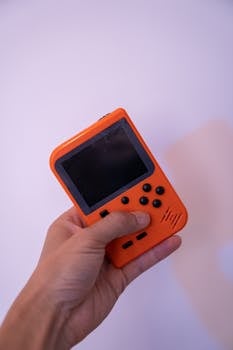
Starting a new game brings excitement, but it can also trigger nervousness. Strong onboarding design, tucked into those first minutes, sets the course for both learning and enjoyment.
Getting onboarding design right eliminates confusion before it begins. When a game’s opening feels clear and friendly, you gain confidence—usually before you even notice you’re learning.
Let’s look closely at what onboarding design really does for new players. Stay with this guide for practical insights and scripts to help you spot and shape better first-time experiences.
Clarity sets the stage: Removing hurdles in the first moments
Clear onboarding design means you’re never left guessing about your next step. This invites progress and sets an immediate, friendly tone between game and player.
By removing ambiguity early on, designers help new players breathe easier. Simple language, smooth UI, and signposting trigger confident early choices without hesitation.
First steps: Instruction, not overload
When onboarding design introduces one mechanic at a time, players learn by doing. “Try tapping this button now,” the game suggests—a direct, manageable prompt.
If you’re asked to jump, then immediately to shoot, it feels natural. Each step should build on the last, never forcing five ideas into one screen.
Think of it like following a GPS: One turn at a time means no one gets lost, even in unfamiliar neighborhoods.
Making intentions visible: Scripting guidance cues
Clear onboarding design includes direct cues for players. Highlighting buttons, giving short animations, or popping up a tip keeps things moving.
When a quest marker glows or a pop-up says “Now, collect a coin,” you never wonder what’s next. Friction dissolves before it can slow progress.
An example: “Look for the sparkling path.” It’s unmistakable, and every tiny success boosts early confidence and comfort.
| Onboarding Feature | Pros | Cons | Try This Next |
|---|---|---|---|
| Pop-up Tips | Immediate help, easy to spot | Can interrupt flow | Limit to 1–2 per screen for clarity |
| Interactive Tutorials | Learning by doing | Might feel slow for veterans | Offer a skip button or fast mode |
| Highlighting UI Elements | Draws focus to actions | Too many highlights confuse | Highlight only one actionable item at a time |
| Step-By-Step Tasks | Reduces overwhelm | Might feel linear | Mix in optional challenges for freedom |
| Scripted Dialogue | Adds flavor, guides users | Can be skipped or ignored | Pair dialogue with clickable prompts |
Motivation grows: Reinforcing actions with feedback and rewards
Players stay engaged when each action earns a noticeable response. Onboarding design must reward right away, reinforcing correct decisions while minimizing frustration.
When feedback arrives instantly, you trust the process more. A thud, flash, or coin jingle signals progress and encourages repeating the action just taken.
Celebrating milestones: Responding to small wins
A well-paced onboarding design celebrates your first achievements. When you finish a step, a pop-up says, “Well done!” as confetti falls—clear recognition.
This positive loop acts like a high-five. The brain gets a reward; the player wants to keep exploring.
- Press “Jump” and hear a cheerful sound, which confirms you did it correctly and helps form a strong association for next time.
- See “Level 1 Complete!” on screen after basic navigation, which motivates you to try new areas.
- Receive a new skin after testing a feature, adding excitement and showing the payoff of learning new mechanics.
- Unlock story content for mastering a new skill—clear cause and effect make onboarding design rewarding.
- Earn coins for your first victory, providing both tangible resources and a sense of progress as you continue forward.
Each touch of feedback, both visible and heard, marks your learning as meaningful and fun—not just a hurdle to clear.
Calibrating challenge levels: Setting the right tone for success
Effective onboarding design introduces only suitable challenges early on. If you fail too soon, motivation wavers; win too easily, and boredom creeps in.
The trick is a gentle curve. Picture a gym trainer adding just enough weight each week. Players say, “That was tricky, but I pulled it off!” and feel ready for more.
- Start with a single obstacle—let players beat it, then gradually add complexity to ensure mastery grows with confidence.
- Offer helpful nudges if players linger—maybe a hint pops up or a character says, “Try moving here!” without breaking immersion.
- Allow retries without penalty—onboarding design should build resilience, not punish mistakes right away.
- Let users skip parts if they get stuck, reinforcing autonomy and maintaining positive feelings throughout the experience.
- Increase rewards for the next challenge, showing that progress brings new benefits and sustaining momentum.
Hand-tuning difficulty gives new players a clear pathway that feels personalized and achievable—not arbitrary or repetitive.
Scripting welcome moments: Personal touches that foster belonging
Personalized onboarding design introduces warmth. An opening scene might ask your name or let you pick a look, creating an immediate sense of inclusion.
Welcome moments ease newcomers into the community, setting the mood for both solo adventures and group play sessions.
Small gestures, big impact: Language and tone choices
Welcoming language avoids jargon. When onboarding design tells you “Welcome, traveler!” instead of “User 001 joined,” you feel noticed, not just another number.
Clear, friendly tone in tutorials, whether spoken or written, makes a world of difference—especially if it answers unspoken worries before they grow.
If an NPC offers, “You belong here, take a look around,” nerves quickly turn to curiosity. A gentle script can tip the balance toward positivity.
Building reliability: Consistency across first-time steps
Reliable onboarding design means every first-time experience resonates with the same care. Colors, icons, and menu placements stay consistent, never forcing a second guess.
If your first menu is green with icons on the left, every next screen should match. This lowers cognitive load and builds trust fast.
Players say, “I know what this button does,” leading to smooth transitions—and far less early frustration. The onboarding design acts like a trusted host guiding you room to room.
Retaining progress: Save systems and checkpoint wisdom
Nothing kills enthusiasm like lost progress. Incorporate smart save states and checkpoints within your onboarding design to shield players from discouraging setbacks.
A reliable checkpoint system improves early learning by giving players freedom to experiment, retry, and ultimately succeed—without the threat of losing everything accomplished.
Auto-saving at key moments
Effective onboarding design triggers saves after you learn something critical. Complete a task, and a subtle save icon appears—unstated reassurance that what you just accomplished matters.
Games that auto-save after intricate steps reduce anxiety. If you fail or want to test alternatives, you’re set right back at the last completed segment.
Players relax when onboarding design guarantees their time and learning aren’t at risk. Each restart feels like a logical new start, not a punishment.
Checkpoint placement and visual cues
Checkpoints need clear communication. A pulsing icon or short chime signals success—so you never wonder if progress counts.
Strategically placed checkpoints after difficult segments keep onboarding design fair. When you reach a challenge, you know mistakes won’t wipe progress.
It’s like placing bookmarks in a dense book: You never dread losing your place. Copy this script for reassurance: “A quick save here means more freedom to try.”
Encouraging curiosity: Allowing exploration without penalty
Onboarding design thrives when it balances structure with freedom. Giving new players space to explore encourages experimentation and supports unique play styles from the start.
Optional objectives, hidden rooms, or early customization options foster curiosity and teach without tightening the rails. Even first timers feel empowered, not led by a leash.
Balancing rails and open paths
Good onboarding design offers direction without micromanaging. Guidance phrases like “You might want to check over there” leave space to wonder and roam.
For instance, after introducing a mechanic, let players discover its quirks. If someone asks, “Can I break this wall?”—reward the bold choice with a unique tip or item.
Encourage self-paced success by mixing clear goals (“Open the chest”) with mini-secrets (“Look under the waterfall”). Ownership over learning becomes memorable.
Rewarding curiosity with tangible payoffs
Curious actions in onboarding design must grant real recognition. Find a shortcut and unlock a badge, or solve a puzzle and reveal new dialogue—visible signs reinforce rewards for bold play.
Create a habit of surprise. Maybe a hidden path leads to a backstory clue or a rare item. Players remember the delight—onboarding design should seed these early.
Tell your team: “Hide a bonus where the observant will look first.” This instantly boosts engagement and ownership of early-game discovery.
Guiding through choices: Designing interactive menus and clear labels
Menus in onboarding design act as first impressions. Simple, interactive layouts with bold labels eliminate doubts and build smooth navigation habits from the start.
A new player’s first clicks depend on smart button placement. Predictable groupings and helpful highlights quietly teach navigation, setting the rhythm for later complexity.
Label clarity and iconography best practices
Great onboarding design ensures every menu label uses common terms. Replace “Execute Operation” with “Start Mission”—plain talk skips misunderstandings.
Icon clarity matters. Pairing simple images with matching words eliminates confusion, especially when speed matters in bigger game sessions.
A quick way to audit: Ask a first-timer to “find settings” with no help. Track pauses or mistakes, then adjust layout or language for smoother onboarding design.
Adaptive menus for ongoing confidence
Menus should grow as skills grow. At first, onboarding design disables advanced tabs, avoiding overwhelm. As players progress, more options unlock at a measured pace.
This rule mirrors real life—kids use safety scissors before sharp ones. Gradual exposure creates confident, empowered users who don’t fear a click at any stage.
Show a friendly notification: “You’ve unlocked a new feature!” This signals achievement and scaffolds nonstop progression without surprise curveballs or vanishing buttons.
When onboarding design fails: Spot red flags and fix friction fast
Recognizing pain points in onboarding design makes recovery possible. If players look lost or complain “I can’t find the next step,” friction has outpaced fun.
Monitor early user sessions for hints. Do players pause on certain screens? Are tutorial skips high? Data tells you exactly where to focus fixes for a smoother journey.
Spotting the signals of broken onboarding design
Losing progress or unclear tutorials leaves players frustrated. If chat fills with “How do I start?” your onboarding design likely miscommunicates critical info.
Notice repeated support tickets listing “navigation confusion” or “missed tasks.” Patterns here mark urgent onboarding design failures—address these using concrete, stepwise scripts.
Set a rule: “If three testers ask the same question, rewrite that prompt now.” Trimming friction early rescues new users—and word-of-mouth improves instantly.
Rapid tweaks for immediate improvements
Tidy up onboarding design by consolidating pop-ups and removing dead-ends. Shrinking instructions from four steps to one can halve confusion on first tries.
If forced steps irritate, offer skip buttons and optional tooltips. Lower the stakes for experimentation at every early bottleneck in onboarding design.
Pair every fix with before-and-after user feedback. Celebrate drops in abandonment rates (“Players made it past Step 5! Great news—now polish the hardest section left.”)
Closing thoughts: Onboarding design as a springboard for confident play
Onboarding design is more than a welcome. Each step, script, and reward shapes how confidently new players approach a game—and how likely they are to stick with it.
Every example in this guide offers a pathway to stronger onboarding design. Implementing even a handful can change new player retention overnight, carrying lessons into future projects and genres.
Invite feedback, adapt fast, and keep a friendly hand at every onramp. With care, onboarding design transforms first timers into lifelong fans who genuinely enjoy every minute of play.


